Headspace is a mindfulness platform that has successfully translated meditation into a simple, engaging digital experience through minimal interfaces, friendly illustrations, and structured mindfulness journeys.
This UI/UX study investigates the platform’s design strategy, user experience principles, and interaction patterns. It also explores how emerging technologies such as Artificial Intelligence (AI) and Extended Reality (XR) can enhance personalization, engagement, and accessibility in digital wellness products.
My Process
We had to study the UX system of apps that were listed and I choose Headspace because of aesthetics and how they kept the consistency of the app. Then I studied how the app worked what was its flow is it following the WCAG guidelines and Heuristics law and made this study.
Deliverables
UX Research Summary, User Experience Evaluation, WCAG Guidelines, Heuristics Law, XR Possible Add-ons
Tools
Figma, Google Stitch AI, Headspace App
The Origin of Headspace
Early Beginnings
Starting with events and workshops, the duo realized the potential for a digital solution to reach more people.
Andy Puddicombe's Journey
From advertising executive to Buddhist monk, Andy's path led to a mission to make meditation accessible.
Rich Pierson's Vision
Co-founder Rich Pierson brought the business acumen, transforming Andy's teachings into a global platform.
The Challenge
Meditation was often perceived as complex, inaccessible, or only for spiritual gurus. Headspace aimed to change this perception.
-Break down barriers to entry for beginners. -Create a simple, engaging, and non-intimidating experience. -Integrate mindfulness into daily life for a broad audience.
Design Philosophy: Simplicity & Approachability
Clean Aesthetics
A simple, uncluttered interface reduces cognitive load and promotes focus.
Illustrations
Charming animations and characters make complex concepts easy to understand and less intimidating.
Soothing Voice Guidance
Calm voice guides users through sessions, creating a sense of trust and comfort.
Key Features for Engagement
Guided Meditations
Structured sessions for various needs: sleep, stress, focus, and more.
Progress Tracking
Visualizing meditation streaks and session history motivates continued practice.
Sleepcasts & Soundscapes
Audio experiences designed to help users fall asleep and improve sleep quality.
Mindful Movement
Short workouts and stretches to integrate mindfulness with physical activity.
The User Experience Journey
Onboarding
Simple, personalized questions to tailor the initial experience.
Skill Building
Progressive courses that deepen understanding and practice over time.
Daily Practice
Encouraging consistent engagement through reminders and new content.
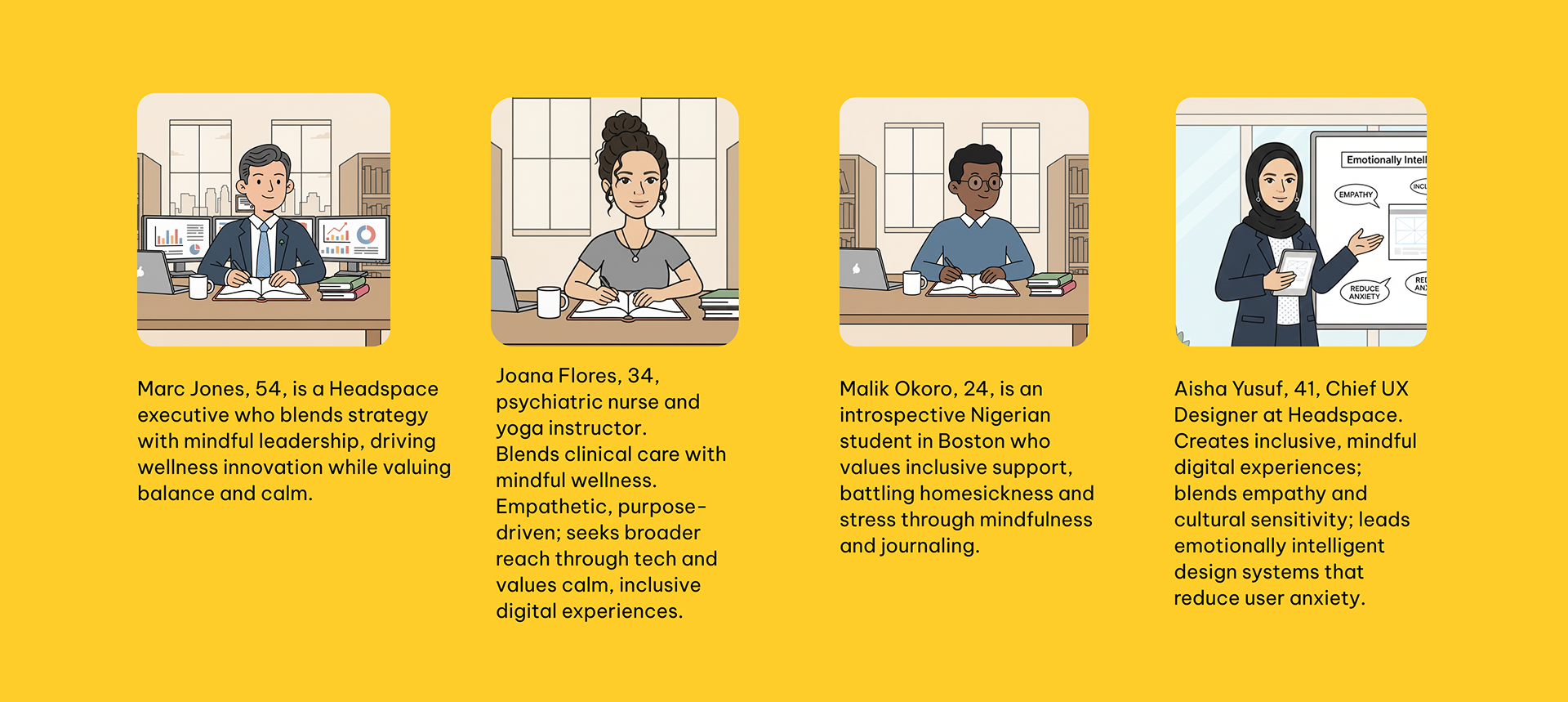
The Personas
Impact and Growth
70M + Users Worldwide
Headspace has reached a vast global audience, fostering mental well-being.
2000 + Workplace Partners
Collaborating with companies to support employee mental health programs.
190 + Countries
Available in numerous languages, making mindfulness accessible across cultures.
Business Model
B2B Model
Headspace partners with companies, healthcare providers, and schools to offer mindfulness programs as part of wellness, EAP, and academic support.
B2C Model
Provides meditation and mental-health content directly to individual users through the app.
Subscription Model
Users pay for premium access, creating steady recurring revenue and supporting long-term engagement.
Heuristics Law Report
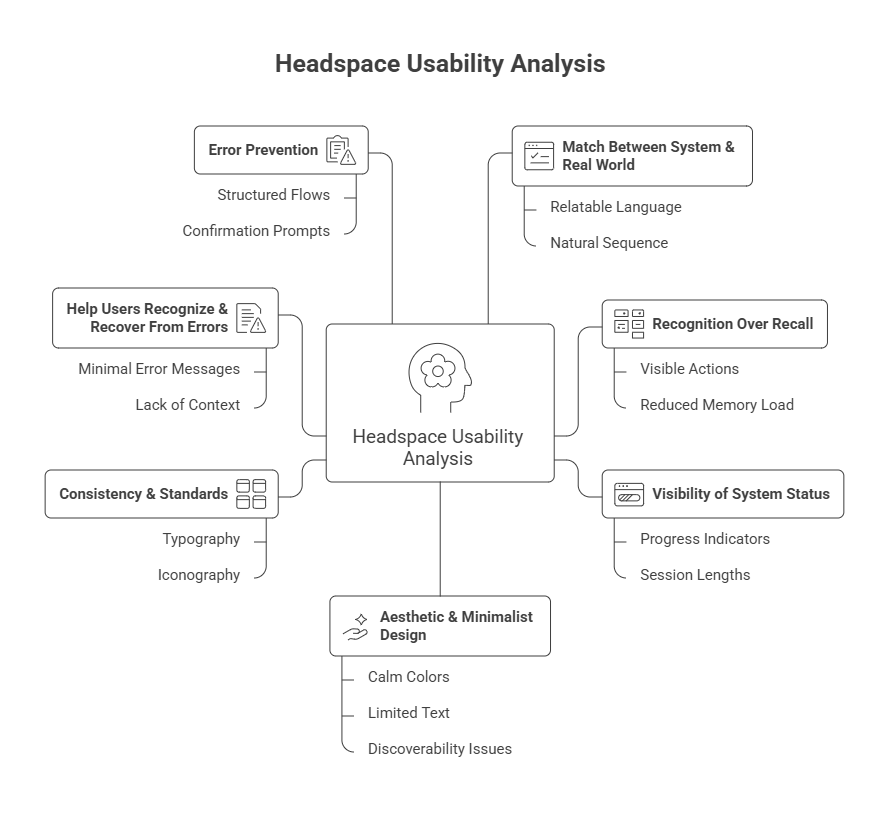
1️. Match Between System & Real World
Headspace uses relatable language and mindfulness terminology familiar to users. Content flows in a natural sequence, reducing cognitive effort.
Result: Aligns well with real-world mental health vocabulary and expectations.
2️. Visibility of System Status
Progress indicators and session lengths help users understand their journey and current position in the app.
Result: Clear, reassuring guidance supports user motivation.
3. Recognition Over Recall
Key actions like “Continue Session” and “Play” are visible without requiring users to remember previous interactions or navigation paths.
Clean UI with calm colors, limited text, and clear hierarchy. However, minimalism sometimes hides key actions (e.g., play controls not visually prioritized).
Issue: Simplicity occasionally reduces discoverability of primary actions.
Missing alt text, low contrast in some areas, portrait-only layouts, and unclear content hierarchy affect how users visually and structurally understand content.
Operable
Navigation flow issues, especially inconsistent back-button behavior disrupt focus and hinder smooth interaction.
Robust
Overall technically sound, but requires better screen-reader compatibility and consistent semantic structuring.
Understandable
Inconsistencies in navigation, reading level variations, and limited error-prevention features affect clarity and predictability for diverse users.
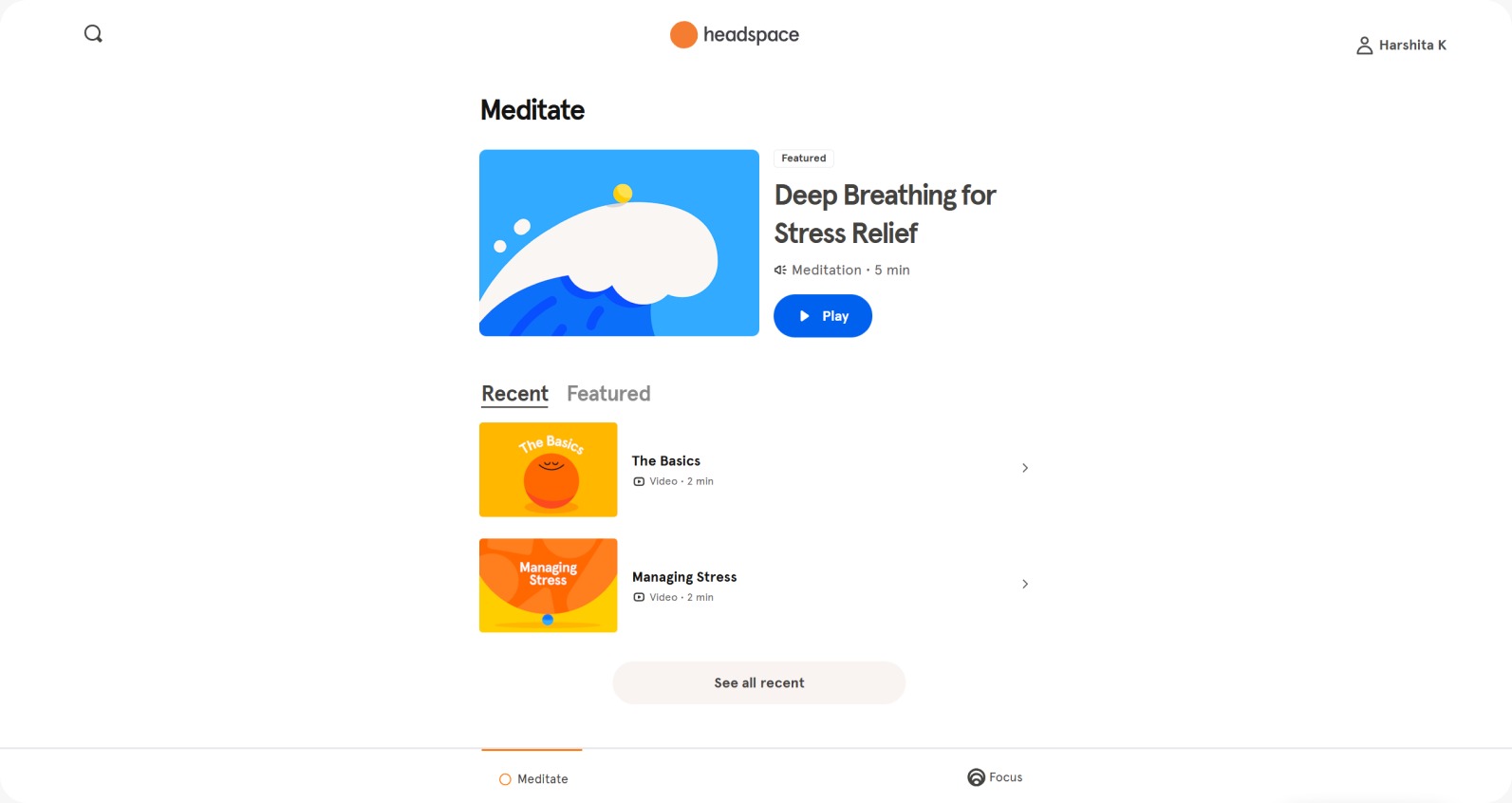
Before
The original Headspace video screen was locked in portrait format, even on laptops.
This caused: Uncomfortable viewing on wider screens Extra scrolling to see captions + controls A broken, inefficient user flow
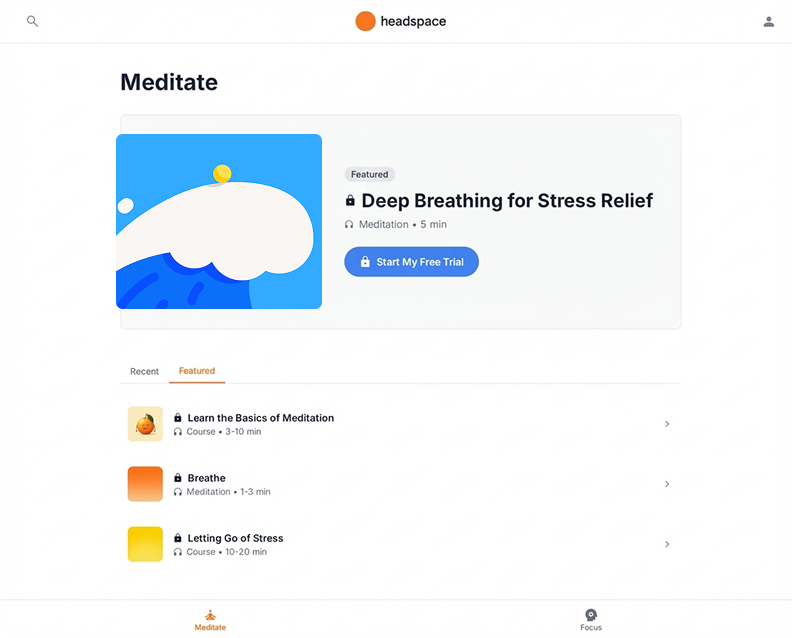
Re-designed
On redesigned the screen to adapt to both portrait and landscape orientations.
The new layout: Expands video content for laptop and desktop screens Keeps captions and controls fully visible without scrolling Enhances accessibility, comfort, and interaction flow
Before
The original Headspace lacked colour contrast between text and background.
This caused: Strain on eyes while reading.
Re-designed
Refined the visual hierarchy by: Increasing contrast for all body and small text Using accessible greys that meet or exceed 4.5:1 Ensuring consistent readability across light and dark backgrounds
Before
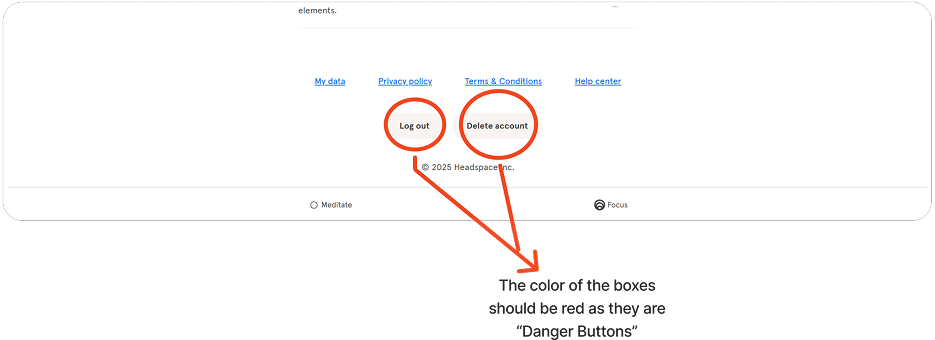
"Log out" and "Delete Account" buttons used the same neutral styling. No clear danger indicators, high-risk actions looked like normal buttons.
WCAG 1.4.1 + 1.4.3. Accessibility Risk: Users (especially low-vision or cognitive impairments) may not realize actions are irreversible.
Re-designed
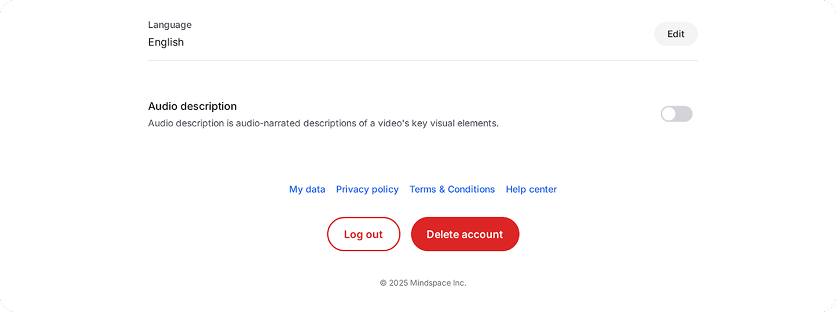
The redesign adds clear affordance and warning cues, reducing accidental actions and improving compliance with WCAG 1.4.1 while supporting safer user decisions.
Before
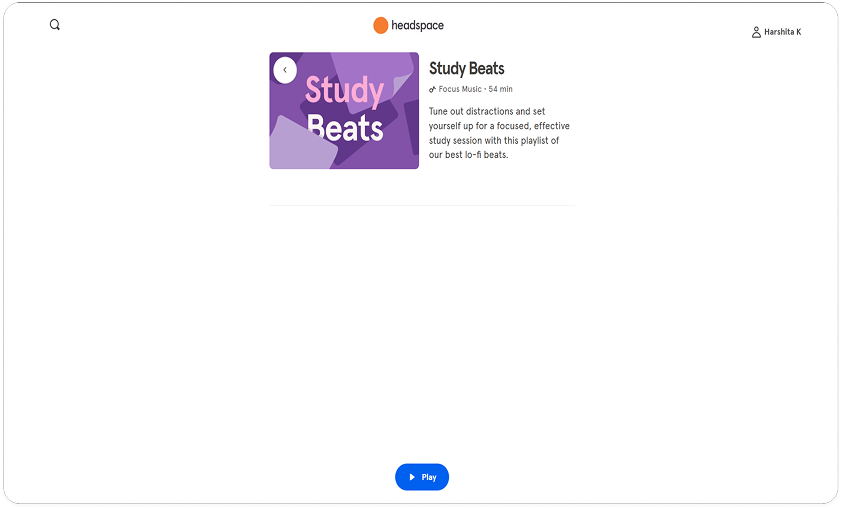
Primary action "Play" was placed below the video card, not grouped with relevant content. Keyboard focus moved to the back button first, disrupting natural navigation. Users had to scroll to discover the primary action, increasing interaction friction.
Accessibility Risk: Focus order distracts from core task, impacting users relying on keyboard navigation or screen magnifiers.
Re-designed
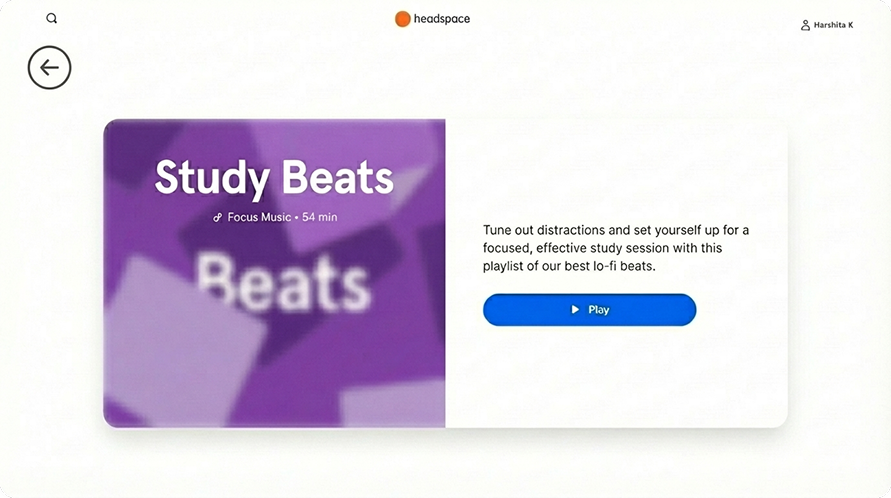
The updated layout places the primary action in the immediate focus path, supporting a logical flow and improving compliance with WCAG 2.4.3 while making content faster to access.
XR Possible Add-ons
Headspace XR, is available now on Meta Quest. It welcomes user to a new virtual world where they can move, play, meditate, all in breathtaking immersive environments.
Added environment concept:
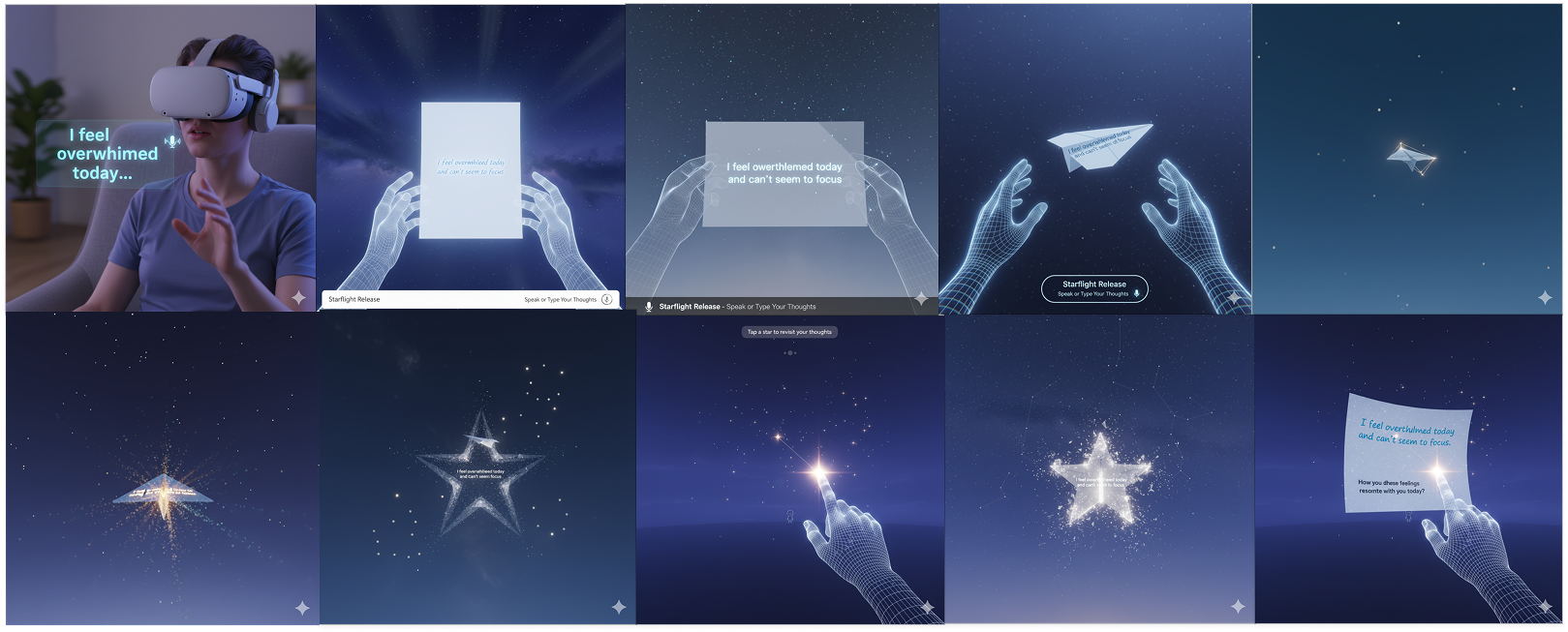
Using an XR headset for an emotional vent through an activity where the person is given a paper where they can give voice command which turns it into writing on that paper ,which then turns into plane, that the person can let go which will convert into a star in sky and can be reviewed later anytime the person clicks on the star.
Added environment concept:
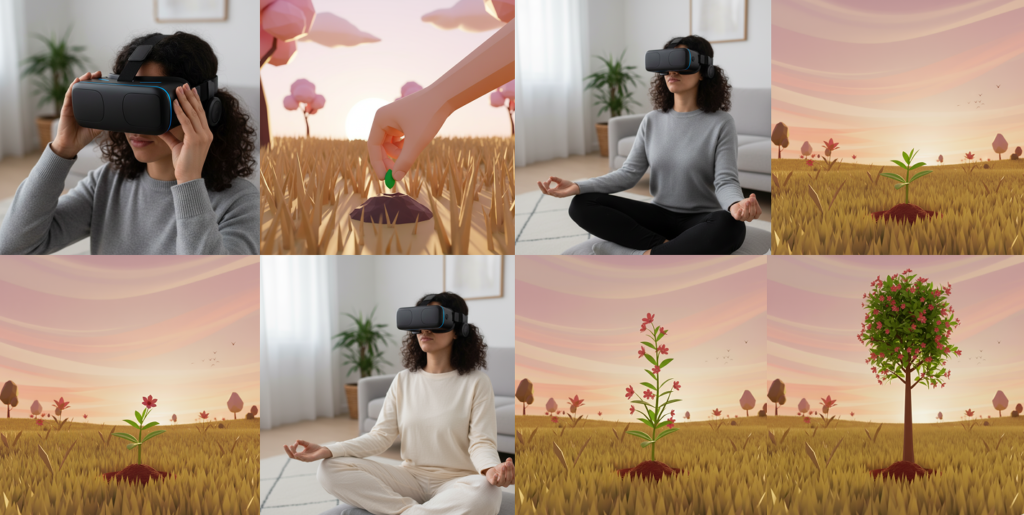
Using an XR headset for a guided meditation focusing on growth, and the virtual world reflects her mental progress as a sapling transforms into a mature, flowering tree.
Summary
Headspace is a meditation and mental wellness platform that offers guided sessions, sleep content, and mindfulness programs through a calming, minimal, and friendly interface.
The website’s visual language uses soft colors, playful illustrations, and spacious layouts to create an approachable, non-clinical feel. Navigation is simple and purpose-driven, allowing users to explore content by goals such as stress, sleep, or focus.
While the experience is polished and consistent with the brand’s wellness tone, opportunities remain to enhance personalization, reduce scroll-heavy layouts, and surface core actions faster. Overall, the site effectively reflects Headspace’s mission of making mindfulness accessible and engaging.